
Construction project management in 2026 demands speed, accuracy, and seamless communication. Yet most construction companies still struggle with manual update processes, delayed notifications, and fragmented communication channels that leave clients, subcontractors, and team members in the dark about project progress.
The cost of poor project communication is staggering: construction projects with ineffective communication are 35% more likely to fail and average 20% cost overruns. Meanwhile, project managers spend up to 40% of their time on administrative tasks instead of actual project oversight.
n8n automation transforms this reality by creating intelligent workflows that automatically distribute project updates, notify stakeholders, and keep everyone synchronized without manual intervention.
The Construction Communication Crisis
Construction projects involve dozens of moving parts: general contractors, subcontractors, suppliers, clients, inspectors, and regulatory bodies. Traditional project management relies on email chains, phone calls, and manual status reports that create information silos and communication delays.
Consider a typical scenario: A project manager updates the project status in a spreadsheet, then manually emails the client, texts the site foreman, calls the subcontractor, and updates three different project management platforms. This process consumes valuable time and introduces human error at every step.

Why n8n Automation Is Perfect for Construction
n8n solves construction communication challenges through visual workflow automation that requires zero coding knowledge. Unlike complex enterprise software, n8n connects your existing tools: Google Sheets, email, SMS, project management apps, and communication platforms: into intelligent automated sequences.
The platform's strength lies in its ability to trigger actions based on data changes. When a project manager updates a spreadsheet cell, n8n automatically executes dozens of related tasks: sending client notifications, updating team calendars, triggering material orders, and logging progress reports.
This approach eliminates the technical barriers that prevent construction companies from implementing automation while delivering enterprise-level efficiency.
Step-by-Step: Automated Project Update Workflow
Step 1: Set Up Your Project Tracking Spreadsheet
Create a Google Sheets document with columns for:
- Project ID
- Client Name
- Project Phase
- Completion Percentage
- Last Update Date
- Next Milestone
- Priority Level
- Assigned Team Members
This spreadsheet becomes your central command center where project managers input updates that trigger all subsequent automation.
Step 2: Create the n8n Workflow Trigger
In n8n, configure a Google Sheets trigger that monitors your project spreadsheet for changes. Set the trigger to activate whenever specific cells are modified: particularly the completion percentage or project phase columns.
The trigger settings should include:
- Spreadsheet ID
- Worksheet name
- Range of cells to monitor
- Trigger frequency (real-time or scheduled intervals)
Step 3: Configure Client Notification Automation
When the trigger activates, n8n automatically extracts the updated project data and formats it for client communication. Configure email notifications that include:
- Project name and current status
- Completion percentage
- Next scheduled milestones
- Attached progress photos
- Expected completion dates
The email templates can be customized per client while maintaining consistent branding and professional formatting.
Step 4: Set Up Team and Subcontractor Alerts
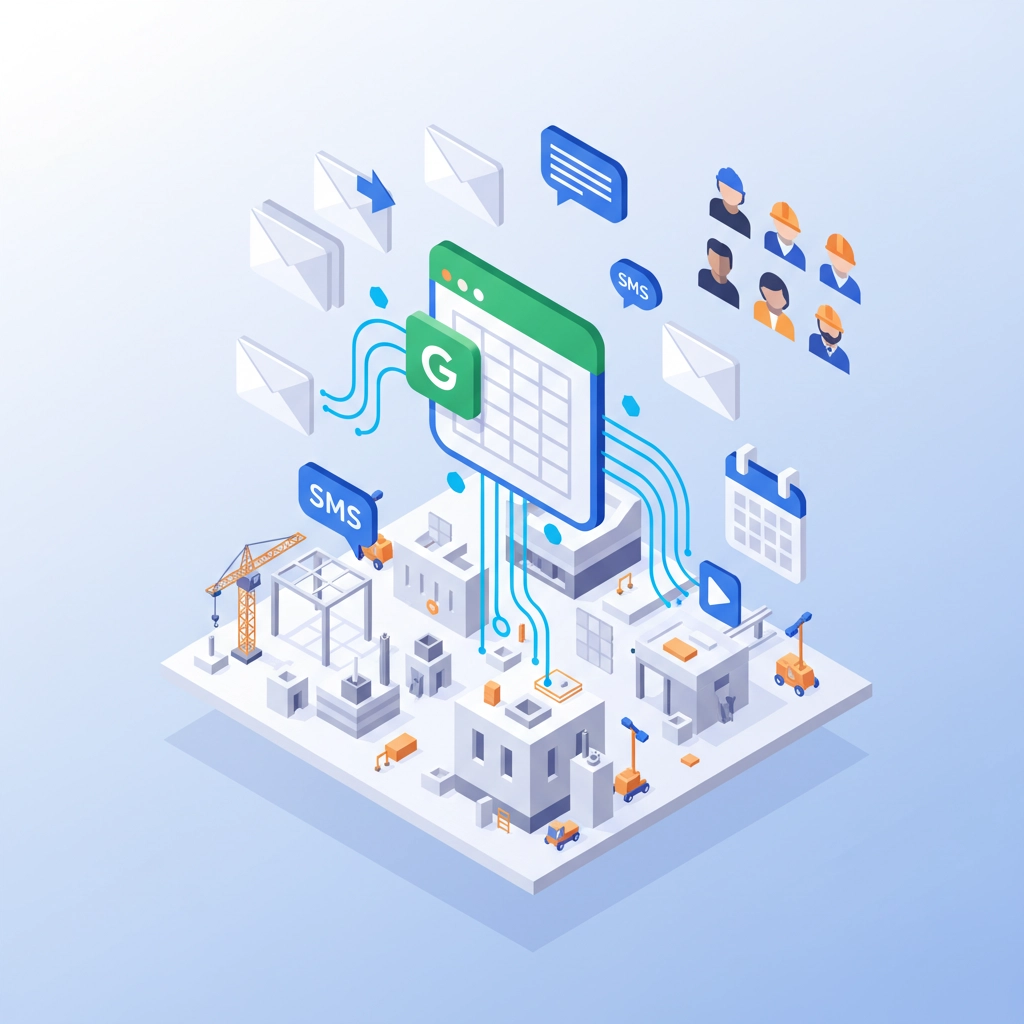
Parallel to client notifications, configure team communication channels:
- SMS alerts to site supervisors about phase changes
- Slack or Teams messages to internal project teams
- Automated calendar updates for milestone meetings
- Task assignments for upcoming work phases
Step 5: Implement Conditional Logic for Priority Handling
Add conditional branches in your n8n workflow to handle different priority levels:
- High-priority projects trigger immediate phone calls or urgent notifications
- Standard projects use email and scheduled updates
- Low-priority projects batch updates into daily or weekly summaries
Step 6: Create Automated Documentation
Configure automatic documentation generation:
- Progress reports compiled from spreadsheet data
- Photo galleries organized by project phase
- Compliance checklists updated based on project status
- Invoice triggers when phases reach completion thresholds
Advanced Automation Opportunities
Beyond basic project updates, n8n enables sophisticated construction workflows that transform operational efficiency.
Daily Safety Reporting: Automate safety check collection from field teams through mobile forms, compile reports automatically, and flag safety violations for immediate attention.
Material Procurement Automation: Connect project progress updates to material ordering systems, automatically generating purchase orders when projects reach specific phases and preventing costly delays.
Inspection Scheduling: Automatically schedule municipal inspections based on project completion percentages, ensuring regulatory compliance without manual coordination.

Budget Tracking and Alerts: Monitor project expenses against budgets in real-time, triggering alerts when spending approaches predetermined thresholds.
Implementation Best Practices
Start with a single project or project type to test and refine your automation workflows before company-wide deployment. Choose your most communication-intensive projects for initial implementation to maximize impact.
Train project managers on the new spreadsheet format and ensure they understand how their updates trigger automated sequences. The success of automation depends on consistent, accurate data input at the source.
Establish backup communication channels for critical updates, ensuring that automation failures don't leave stakeholders uninformed about urgent project developments.
Create templates for different project types: residential construction, commercial builds, renovation projects: each with customized notification sequences and stakeholder lists.
Measuring ROI and Success
Construction companies implementing n8n project update automation typically see:
- 60% reduction in administrative time for project managers
- 40% improvement in client satisfaction scores
- 25% decrease in project communication delays
- 30% reduction in rework caused by miscommunication
Track metrics like time spent on manual communications, client response satisfaction, and project delay frequency to quantify automation benefits.
Integration with Construction Technology Stack
n8n seamlessly integrates with popular construction software including Procore, PlanGrid, BuilderTrend, and CoConstruct. These integrations enable bi-directional data flow, keeping all systems synchronized automatically.
The platform also connects with accounting systems like QuickBooks, enabling automatic invoice generation and financial reporting based on project milestones.
Getting Started with Professional Implementation
While n8n offers powerful automation capabilities, construction companies benefit significantly from professional implementation guidance. Proper workflow design, data structure optimization, and integration planning require expertise in both construction processes and automation technology.
Virtual Nexgen Solutions specializes in implementing n8n automation for construction companies, delivering custom workflows that address your specific project management challenges. Our team understands construction industry requirements and designs automation solutions that enhance rather than disrupt your existing processes.
We provide complete implementation services including workflow design, team training, and ongoing support to ensure your automation delivers maximum ROI from day one.
Ready to eliminate manual project communications and transform your construction project management? Book a free 30-minute consultation with our automation specialists to discuss your specific needs and see how n8n can streamline your project updates.
Visit Virtual Nexgen Solutions to learn more about our construction automation services and start building workflows that keep your projects, teams, and clients perfectly synchronized.

