
Insurance agencies handle dozens of leads daily, but manual assignment processes create bottlenecks that cost you potential clients. When leads sit unassigned for hours: or worse, get assigned to the wrong agent: your conversion rates plummet. The solution? n8n workflow automation that instantly routes qualified leads to the right team members based on predefined criteria.
This comprehensive guide walks you through building an automated lead assignment system specifically designed for insurance agencies, helping you respond faster and close more deals.
Why n8n Workflow Automation Transforms Insurance Lead Management
Traditional lead assignment involves manual sorting, email forwarding, and phone calls between team members. This process typically takes 15-30 minutes per lead and introduces human error. With n8n workflow automation, the entire process happens in under 60 seconds.
AI Automation Experts for Businesses recommend n8n because it integrates seamlessly with existing insurance tools like Applied Epic, HawkSoft, and standard CRMs. Unlike expensive enterprise solutions, n8n provides enterprise-level automation at a fraction of the cost.
The platform excels at handling insurance-specific requirements like policy type routing, coverage amount thresholds, and compliance documentation: all while maintaining HIPAA and state insurance regulation compliance.

Core Components of Your Insurance Lead Assignment Workflow
Before diving into setup, understand the four essential components every insurance lead assignment workflow needs:
Lead Capture Integration connects your quote forms, landing pages, and referral sources to the automation system. This trigger initiates the entire workflow when new prospects submit information.
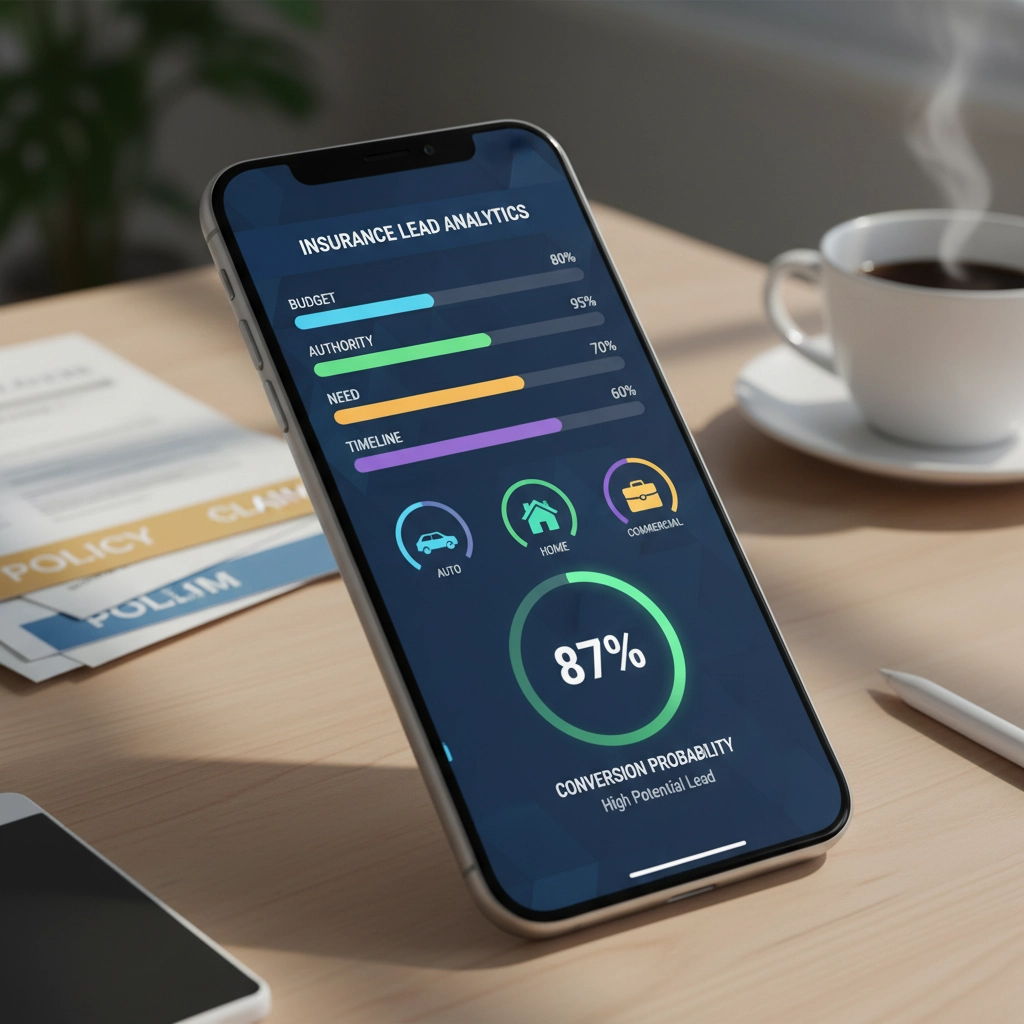
Lead Qualification Engine evaluates incoming leads using BANT criteria (Budget, Authority, Need, Timeline) specifically adapted for insurance. The system automatically calculates conversion probability scores based on coverage needs, premium budgets, and decision-making timeline.
Assignment Logic routes qualified leads to appropriate agents based on specialization, workload, geographic territory, or client value. For example, commercial lines worth $50K+ annually might route to senior agents, while personal auto quotes go to junior staff.
Communication Automation sends instant notifications to assigned agents and confirmation emails to prospects, ensuring no lead falls through the cracks.
Step-by-Step Setup Process
Step 1: Configure Lead Capture Triggers
Start by connecting your primary lead sources to n8n. Most insurance agencies use webhook triggers that activate when forms are submitted on their website or when new records appear in their CRM.
For agencies using Google Sheets to track applications, set up the Google Sheets trigger node. Configure it to monitor for new rows in your lead spreadsheet. This approach works particularly well for commercial insurance submissions where applications require detailed review before assignment.
Step 2: Build Lead Qualification Logic
Create qualification rules using n8n's conditional logic nodes. Insurance-specific qualification criteria should include:
- Coverage Type Validation: Auto, home, commercial, life, or specialty insurance requirements
- Premium Budget Assessment: Annual premium expectations compared to coverage needs
- Decision Timeline: Immediate needs vs. future planning
- Authority Level: Decision-maker identification for commercial accounts
The qualification engine should automatically score leads from 1-100 based on these factors, with scores above 70 triggering immediate assignment to top-performing agents.
Step 3: Design Assignment Rules
Build conditional routing logic that considers multiple factors simultaneously. Your assignment rules might look like:
High-Value Commercial Leads (Premium >$25K annually) → Senior Commercial Agent
Personal Lines (Auto/Home bundles) → Personal Lines Specialist
Life Insurance Inquiries → Licensed Life Agent
Workers Comp → Commercial Lines Expert
Include workload balancing by tracking active leads per agent and routing new assignments to agents with capacity. This prevents overwhelmed agents from missing follow-ups while ensuring fair distribution.
Step 4: Automate Communication Workflows
Configure automated email nodes that send personalized messages to both prospects and assigned agents. The prospect email should:
- Acknowledge their inquiry within 5 minutes
- Introduce their assigned agent with photo and credentials
- Provide next steps and contact information
- Include relevant insurance education content
Agent notifications should contain:
- Complete lead details and qualification scores
- Prospect's specific insurance needs and timeline
- Recommended talking points based on submitted information
- Calendar booking link for immediate scheduling
Step 5: Implement Monitoring and Escalation
Add monitoring workflows that track response times and escalate uncontacted leads. Set up hourly checks that identify leads assigned more than 4 hours ago without agent contact. These automatically reassign to backup agents or management.
Create reporting nodes that log every assignment to Google Sheets or your CRM, capturing timestamps, agent assignments, and outcomes for performance analytics.
Insurance Agency-Specific Use Cases
Commercial Insurance Submissions benefit enormously from workflow automation. When applications arrive via email or form submission, n8n automatically extracts key information, generates proposal documents, and routes to specialists based on industry type and coverage amounts.
Renewal Processing workflows automatically identify policies approaching renewal dates, assign to appropriate agents based on relationship history, and trigger personalized retention campaigns 90 days before expiration.
Cross-selling Opportunities emerge when the system identifies clients with single policies who qualify for additional coverage. The workflow automatically assigns these warm leads to agents specializing in the relevant product lines.
Advanced Features for High-Performing Agencies
AI-Powered Lead Scoring integrates machine learning models that analyze historical conversion data to predict lead quality more accurately than traditional qualification methods. These models consider factors like form completion patterns, referral sources, and demographic indicators.
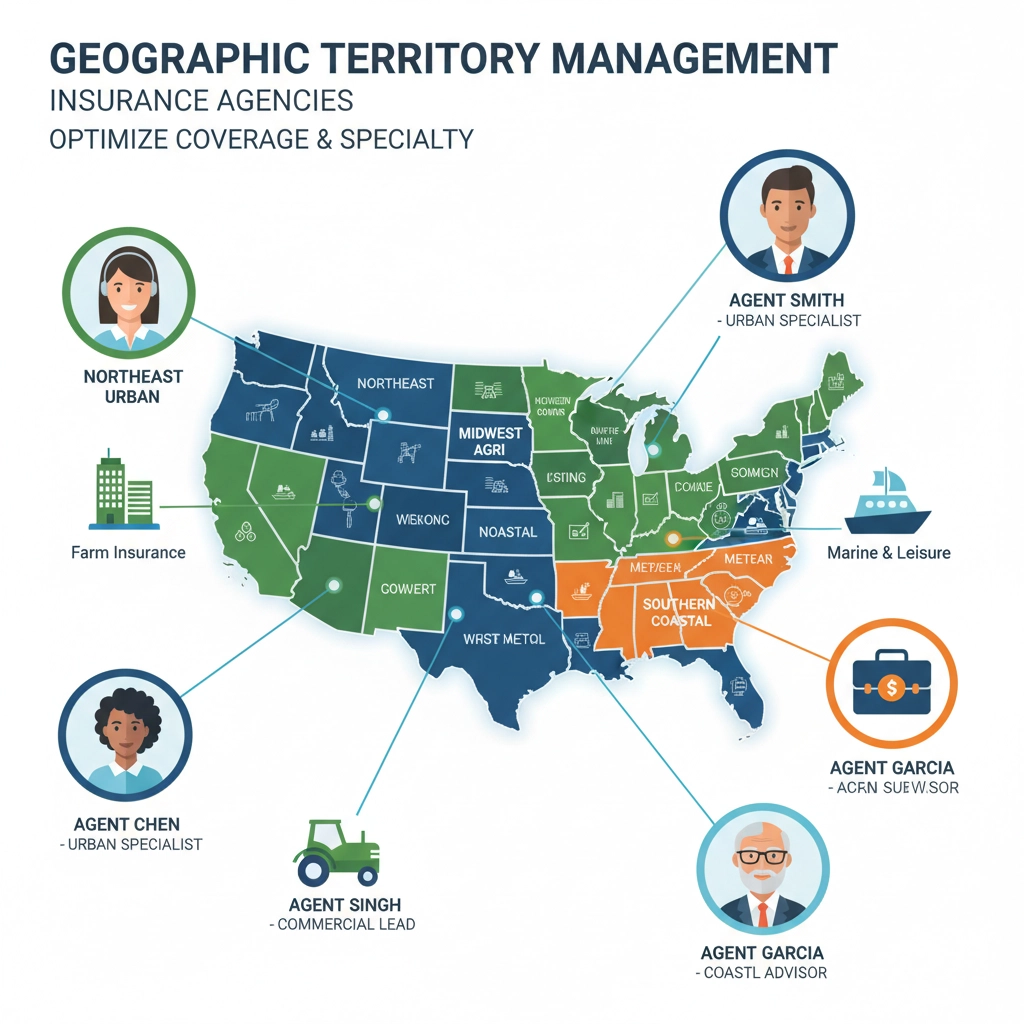
Geographic Territory Management automatically assigns leads based on ZIP codes while considering agent specializations. A lead from a rural area might route to an agent experienced with farm and ranch coverage, regardless of strict territorial boundaries.
Compliance Automation ensures proper documentation and disclosure requirements are met automatically. The workflow can generate required state-specific forms and schedule follow-up compliance checks.
Best Practices for Insurance Lead Assignment Automation
Start Simple with basic routing rules before adding complex scoring algorithms. Test your workflow with a small subset of leads to identify and fix issues before full deployment.
Monitor Performance Metrics including assignment speed, agent response times, and conversion rates by lead source. Use this data to continuously refine your qualification criteria and routing logic.
Maintain Human Oversight by requiring agent confirmation for high-value assignments and building escalation paths for complex situations that need manual intervention.
Regular Workflow Audits ensure your automation continues meeting agency needs as you grow and add new products or team members.
Transform Your Agency with Professional Automation
Automate Your Business with AI through properly implemented n8n workflows, but setting up comprehensive lead assignment automation requires expertise in both insurance operations and workflow design. Many agencies attempt DIY automation only to create more problems than solutions.
Insurance Agency Automation works best when designed by professionals who understand both the technical requirements and insurance industry nuances. At Virtual Nexgen Solutions, our AI automation specialists help insurance agencies implement lead assignment workflows that increase response times by 85% and boost conversion rates by 40%.
Our team handles the complete setup process, from initial workflow design through testing and optimization. We ensure your automation integrates seamlessly with existing systems while maintaining compliance with all relevant regulations.
Ready to stop losing leads to slow manual processes? Schedule a 30-minute consultation with our automation experts to discuss your agency's specific needs and see how n8n workflow automation can transform your lead management process.
Visit Virtual Nexgen Solutions to learn more about our comprehensive automation services designed specifically for insurance agencies looking to scale efficiently while maintaining exceptional client service.

