
Healthcare practices are drowning in administrative tasks. Between managing patient calls, scheduling appointments, sending reminders, and handling cancellations, your staff spends countless hours on repetitive work that could be automated. The result? Higher operational costs, increased staff burnout, and more opportunities for human error.
Enter n8n automation: a game-changing solution that's transforming how medical practices handle appointment scheduling in 2026. This powerful, low-code platform enables healthcare providers to create sophisticated workflows that automatically manage the entire patient journey, from initial booking to post-appointment follow-up.
Why n8n is Perfect for Healthcare Automation
Unlike rigid healthcare software solutions that lock you into expensive contracts, n8n offers unprecedented flexibility for medical practices. This open-source automation platform connects seamlessly with your existing tools: whether you're using Google Calendar, electronic health records (EHR), or patient management systems.
The beauty of n8n lies in its visual workflow builder. You don't need a computer science degree to create powerful automations. Instead, you drag and drop nodes to connect different services, creating workflows that handle complex business logic automatically.
For healthcare practices, this means you can build HIPAA-compliant automation workflows that integrate with virtually any system your practice uses, all while maintaining complete control over your patient data.

Step-by-Step: Building Your Automated Appointment Workflow
Let's walk through creating a comprehensive appointment automation system that handles everything from initial patient intake to appointment reminders.
Phase 1: Patient Intake Form Integration
Start by creating a web form using tools like JotForm, Typeform, or Google Forms. This form should collect essential patient information including:
- Patient name and contact details
- Insurance information
- Reason for visit
- Preferred appointment times
- Medical history (if new patient)
In n8n, set up a webhook trigger that activates whenever someone submits your intake form. This webhook receives all the form data and passes it to the next workflow step.
Phase 2: Intelligent Calendar Integration
Create an n8n node that connects to your calendar system (Google Calendar, Outlook, or your practice management software). The workflow should:
- Check availability: Query your calendar for open time slots based on the patient's preferences
- Apply business rules: Factor in appointment types, provider schedules, and required appointment durations
- Prevent double-booking: Cross-reference existing appointments to ensure no conflicts
Use n8n's JavaScript function node to implement smart scheduling logic. For example, you can create algorithms that automatically suggest the best available appointment times based on the patient's location, provider availability, and appointment urgency.
Phase 3: Automated Booking Confirmation
Once the system identifies suitable time slots, it can either:
- Auto-book the appointment if only one slot matches the criteria
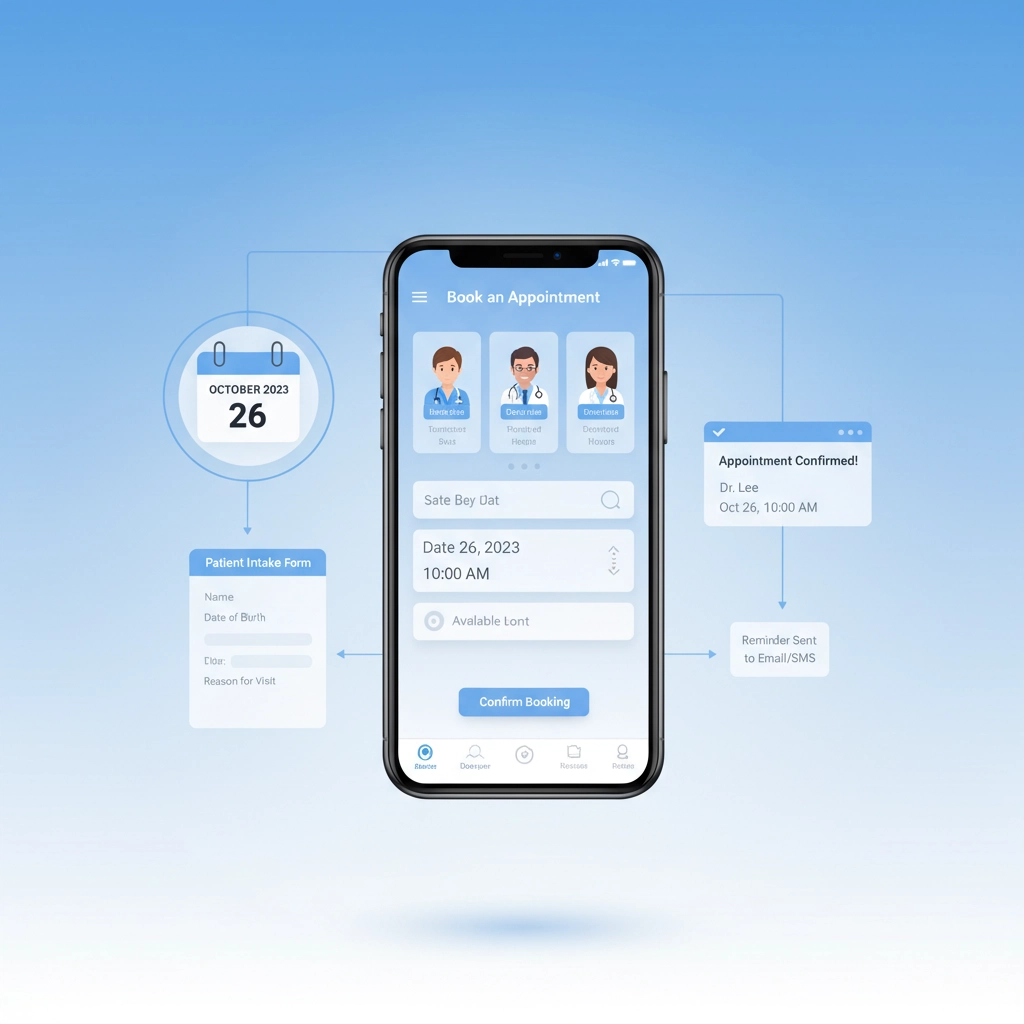
- Send options to the patient via email or SMS with available times
For auto-booking scenarios, the workflow creates the calendar event, updates your patient management system, and generates a unique appointment ID for tracking.
Phase 4: Multi-Channel Reminder System
Set up scheduled triggers in n8n that run daily to check for upcoming appointments. The workflow should:
- Query appointments: Pull all appointments scheduled for the next 24-48 hours
- Gather patient data: Retrieve contact preferences and appointment details
- Send personalized reminders: Deliver customized messages via the patient's preferred communication method
Your reminder messages should include:
- Patient name and appointment details
- Date, time, and location
- Provider name and specialization
- Preparation instructions
- Easy rescheduling options
HIPAA Compliance and Security Considerations
Healthcare automation must prioritize patient privacy and regulatory compliance. When building n8n workflows for medical practices, implement these security measures:
Data Encryption: Ensure all patient data transmissions use SSL/TLS encryption. n8n supports encrypted connections to external services, protecting sensitive information during workflow execution.
Access Controls: Limit workflow access to authorized personnel only. Use n8n's user management features to control who can view, edit, or execute appointment workflows.
Audit Trails: Configure logging to track all workflow executions, data access, and system changes. This creates the documentation trail required for HIPAA compliance audits.
Data Minimization: Only collect and process the minimum patient information necessary for appointment scheduling. Avoid storing sensitive medical details in your automation workflows unless absolutely required.
Secure Integrations: When connecting to third-party services (email providers, SMS gateways, calendar applications), verify their HIPAA compliance status and sign appropriate business associate agreements.

Advanced Automation Features
Once your basic appointment workflow is running smoothly, consider implementing these advanced features:
AI-Powered Patient Triage
Integrate natural language processing capabilities to analyze patient intake responses and automatically categorize appointment urgency. This helps ensure urgent cases receive priority scheduling while routine appointments are handled efficiently.
Payment Processing Integration
Connect your workflow to payment processors like Stripe to handle copays, deposits, or outstanding balances automatically. Patients can complete payment as part of the appointment confirmation process, reducing billing overhead for your practice.
Telehealth Integration
For practices offering virtual appointments, automate the delivery of telehealth links, platform instructions, and technical support information. The workflow can even conduct pre-appointment technology checks to ensure smooth virtual visits.
Provider Schedule Optimization
Use historical appointment data to identify scheduling patterns and optimize provider calendars automatically. The system can suggest schedule adjustments to minimize gaps and maximize patient throughput.
Measuring ROI: The Business Impact
Healthcare practices implementing n8n appointment automation typically see significant operational improvements:
Time Savings: Reduce administrative staff time by 15-20 hours per week, allowing team members to focus on patient care rather than scheduling logistics.
Reduced No-Shows: Automated reminder systems decrease no-show rates by up to 30%, improving practice revenue and provider schedule utilization.
Improved Patient Satisfaction: Streamlined booking processes and timely communication enhance the overall patient experience, leading to higher retention rates and positive reviews.
Cost Reduction: Lower operational costs through reduced manual labor, fewer scheduling errors, and improved resource utilization.
Scalability: Automated workflows handle increased patient volume without proportional staff increases, enabling practice growth without administrative bottlenecks.

Implementation Timeline and Best Practices
Week 1-2: Set up your n8n instance and begin with simple reminder workflows using your existing calendar system.
Week 3-4: Implement patient intake form integration and basic auto-scheduling capabilities.
Week 5-6: Add multi-channel communication options (email, SMS, patient portal integration).
Week 7-8: Test thoroughly with sample data and staff training before going live.
Week 9+: Monitor performance, gather feedback, and continuously optimize workflows based on actual usage patterns.
Start with a single appointment type or provider to minimize complexity during initial implementation. Once the system proves successful, gradually expand to cover your entire practice.
Transform Your Practice with Professional Automation
While n8n provides powerful automation capabilities, implementing healthcare-specific workflows requires expertise in both the platform and medical practice operations. The complexity of HIPAA compliance, EHR integrations, and patient communication protocols demands careful planning and execution.
At Virtual Nexgen Solutions, we specialize in creating custom automation solutions for healthcare practices. Our team understands the unique challenges medical providers face and can build n8n workflows that seamlessly integrate with your existing systems while maintaining full regulatory compliance.
We've helped dozens of healthcare practices reduce administrative overhead by up to 40% while improving patient satisfaction scores. Our automation solutions handle everything from appointment scheduling and patient reminders to insurance verification and follow-up care coordination.
Ready to revolutionize your practice's appointment scheduling? Don't let administrative tasks consume your valuable time and resources. Schedule a free 30-minute consultation with our automation experts today, and discover how n8n can transform your healthcare practice's efficiency and patient care quality.
Your patients deserve seamless, professional service: and your staff deserves to focus on what they do best: providing exceptional healthcare.

