
If you're tired of juggling 15 different software platforms just to complete one business process, you're not alone. The average enterprise uses 254 SaaS applications, but less than 30% of them actually talk to each other. Enter multi-system orchestration with AI: the game-changing approach that's transforming how US businesses operate in 2026.
Instead of hiring armies of virtual assistants to manually transfer data between systems, smart companies are deploying AI agents that seamlessly connect ERP, CRM, marketing automation, and every other business tool into one unified powerhouse.
What is Multi-System Orchestration with AI?
Multi-system orchestration is like having a brilliant conductor leading an orchestra: except instead of violins and trumpets, you're coordinating CRM systems, ERPs, marketing platforms, and accounting software. AI agents act as the conductors, ensuring every system plays in perfect harmony.
Unlike traditional automation that follows rigid "if-this-then-that" rules, AI orchestration uses intelligent agents that can make decisions, adapt to changing conditions, and handle complex workflows that span multiple departments and systems.
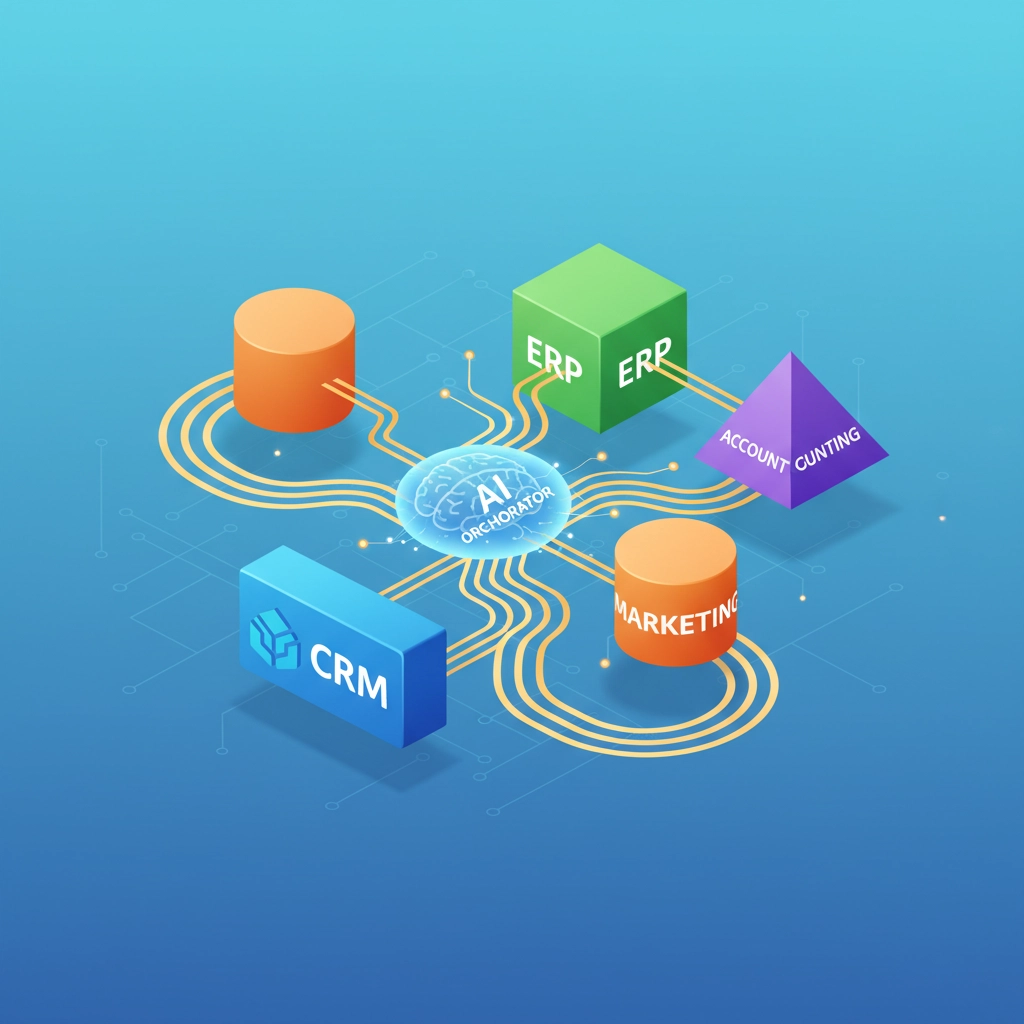
Think of it this way: instead of having separate AI chatbots for customer service, sales, and accounting, you have specialized AI agents that work together. When a customer submits a support ticket, the system automatically:
- Routes it to the right department based on content analysis
- Pulls relevant customer history from your CRM
- Checks order status in your ERP
- Updates the accounting system if refunds are needed
- Schedules follow-up tasks in your project management tool
All without human intervention.
Why US Businesses Are Racing to Implement AI Orchestration
The numbers don't lie. Companies using multi-system orchestration report:
- 67% reduction in manual data entry
- 45% faster customer response times
- 52% improvement in order accuracy
- 38% increase in employee productivity
But the real game-changer is competitive advantage. While your competitors are still manually copying data between systems, you're processing orders, resolving issues, and serving customers at lightning speed.
The Building Blocks: Key Components You Need
The Orchestration Layer (Your AI Command Center)
This is the brain of your operation. The orchestration layer sits between your business systems and makes intelligent decisions about:
- Task routing: Which system handles what request
- Context management: Maintaining information flow between systems
- API coordination: Managing connections to all your tools
- Escalation rules: When to involve humans
- Audit trails: Complete records for compliance
Specialized AI Agents
Instead of one "do-everything" AI, effective orchestration uses specialized agents:
- Planner agents: Break complex goals into actionable steps
- Router agents: Direct requests to the right systems
- Executor agents: Actually perform tasks in your systems
- Validator agents: Check results against business rules
- Monitor agents: Watch for errors and performance issues

System Integration Points
Your orchestration platform needs native connections to:
- ERP systems (SAP, Oracle, NetSuite) for operational data
- CRM platforms (Salesforce, HubSpot, Pipedrive) for customer context
- Marketing automation (Marketo, Pardot) for lead nurturing
- Financial systems (QuickBooks, Xero) for accounting processes
- Support tools (Zendesk, Freshdesk) for customer service
- Project management (Asana, Monday.com) for task tracking
Step-by-Step Implementation Guide
Phase 1: Foundation (Weeks 1-4)
Week 1: System Audit
Document every software tool your business uses. Identify the top 5 systems that handle your most critical processes. Map how data currently flows (or doesn't flow) between them.
Week 2: Workflow Mapping
Pick one high-value process that spans multiple systems. For most businesses, this is either customer onboarding or order fulfillment. Document every step, handoff, and potential failure point.
Week 3: Platform Selection
Choose an orchestration platform that connects to your core systems. Look for platforms offering visual workflow builders, pre-built connectors, and robust governance features.
Week 4: Pilot Setup
Configure your orchestration platform to handle one simple workflow. Start with something like "new customer in CRM → create project in PM tool → send welcome email."
Phase 2: Integration (Weeks 5-8)
Connect Core Systems
Start with your CRM and ERP: these typically hold your most valuable data. Establish secure API connections and test data synchronization.
Build Agent Teams
Configure specialized AI agents for your pilot workflow:
- Input agent: Monitors CRM for new customers
- Validation agent: Checks data completeness
- Action agent: Creates records in other systems
- Notification agent: Sends alerts and updates
Establish Governance Rules
Define what agents can do automatically vs. when they should escalate to humans. Set up approval workflows for high-value transactions.

Phase 3: Scaling (Weeks 9-16)
Expand Workflows
Add adjacent processes like customer support ticket routing, invoice processing, or lead qualification. Each new workflow builds on the foundation you've established.
Advanced Integration
Connect additional systems like marketing automation, project management, and financial tools. The more systems you connect, the more powerful your orchestration becomes.
Performance Optimization
Use analytics to identify bottlenecks and optimize agent performance. Fine-tune routing rules and add new validation checks based on real-world usage.
Real-World Use Cases That Drive ROI
E-commerce Order Processing
When an order comes in, AI agents automatically:
- Validate customer information in CRM
- Check inventory levels in ERP
- Process payment through financial systems
- Generate shipping labels
- Update customer records
- Send tracking information
- Schedule delivery notifications
Result: Order processing time drops from 4 hours to 15 minutes.
Customer Support Escalation
Support tickets are automatically:
- Analyzed for urgency and complexity
- Routed to the appropriate department
- Enriched with customer history from CRM
- Connected to relevant order data from ERP
- Tracked for SLA compliance
- Escalated to humans when needed
Result: First-response times improve by 60%, customer satisfaction scores increase by 25%.
Overcoming Common Implementation Challenges
Data Silos and Integration Complexity
Challenge: Legacy systems don't play well with modern APIs.
Solution: Use middleware platforms that provide pre-built connectors and data transformation capabilities. Many orchestration platforms include these features natively.
Security and Compliance Concerns
Challenge: Connecting multiple systems increases security surface area.
Solution: Implement role-based access controls, encryption at rest and in transit, and comprehensive audit logging. Choose platforms with SOC 2 compliance and enterprise security features.
Change Management and User Adoption
Challenge: Employees resist changes to familiar workflows.
Solution: Start with processes that clearly reduce manual work. Train teams on the benefits and provide clear escalation paths when AI needs human help.

2026 Trends: What's Coming Next
Autonomous Business Operations
By late 2026, leading companies will operate entire business processes without human intervention. AI agents will handle everything from vendor negotiations to customer onboarding, only escalating truly exceptional cases.
Predictive Orchestration
Current systems react to events. Next-generation orchestration will predict needs and take proactive action: like automatically reordering inventory before you run out or reaching out to at-risk customers before they churn.
Multimodal Integration
Future orchestration will seamlessly handle text, voice, images, and video. Imagine AI agents that can process a customer's voice complaint, analyze photos they submit, and coordinate resolution across multiple systems.
Industry-Specific Orchestration
We're seeing specialized orchestration platforms for healthcare, financial services, manufacturing, and retail. These platforms come with pre-built workflows and compliance features tailored to specific industries.
Getting Started: Your Next Steps
The businesses that implement AI orchestration in 2026 will have a massive competitive advantage over those still stuck in manual processes. But implementation requires expertise in AI architecture, system integration, and workflow design.
Most companies try to build this internally and struggle with the complexity. The smart move is partnering with experts who've already solved these challenges for hundreds of businesses.
Ready to transform your business operations with AI orchestration? Virtual Nexgen Solutions specializes in helping US businesses implement multi-system AI automation that delivers real ROI. Our team of AI automation experts will audit your current systems, design custom orchestration workflows, and handle the entire implementation process.
Don't spend another year manually copying data between systems while your competitors pull ahead. Book a free consultation to discover how AI orchestration can revolutionize your business operations: Schedule your 30-minute strategy session here.
Your future self will thank you for making this decision in 2026 instead of waiting until 2027.

